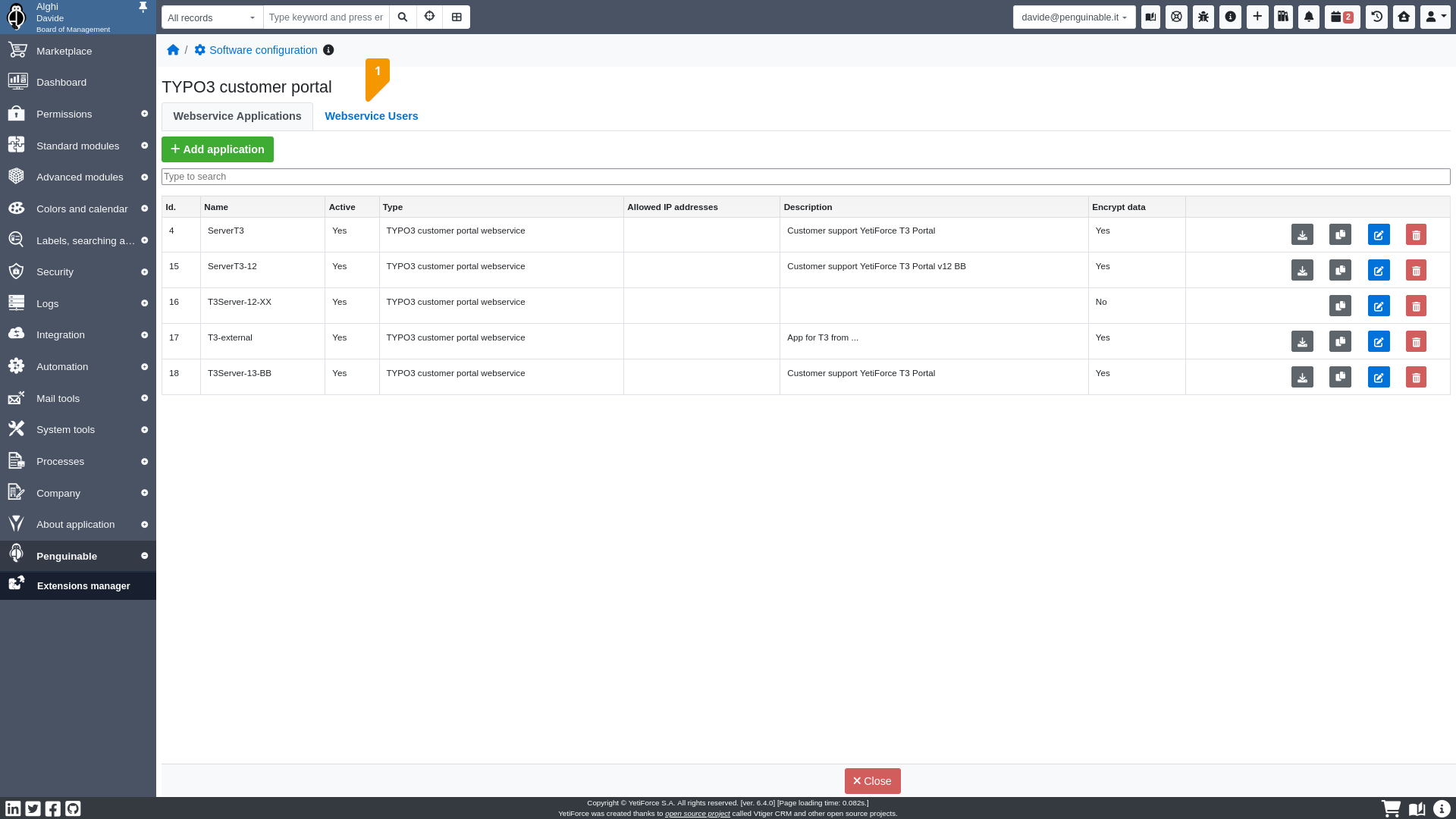
Webservice users
The webservice user record defines the credentials to connect to YetiForce Customer Portal.
You need at least an admin account.
In this step we add two accounts: a webservice admin user account and a webservice simple user account.
Webservice admin user
Go in Webservice Users
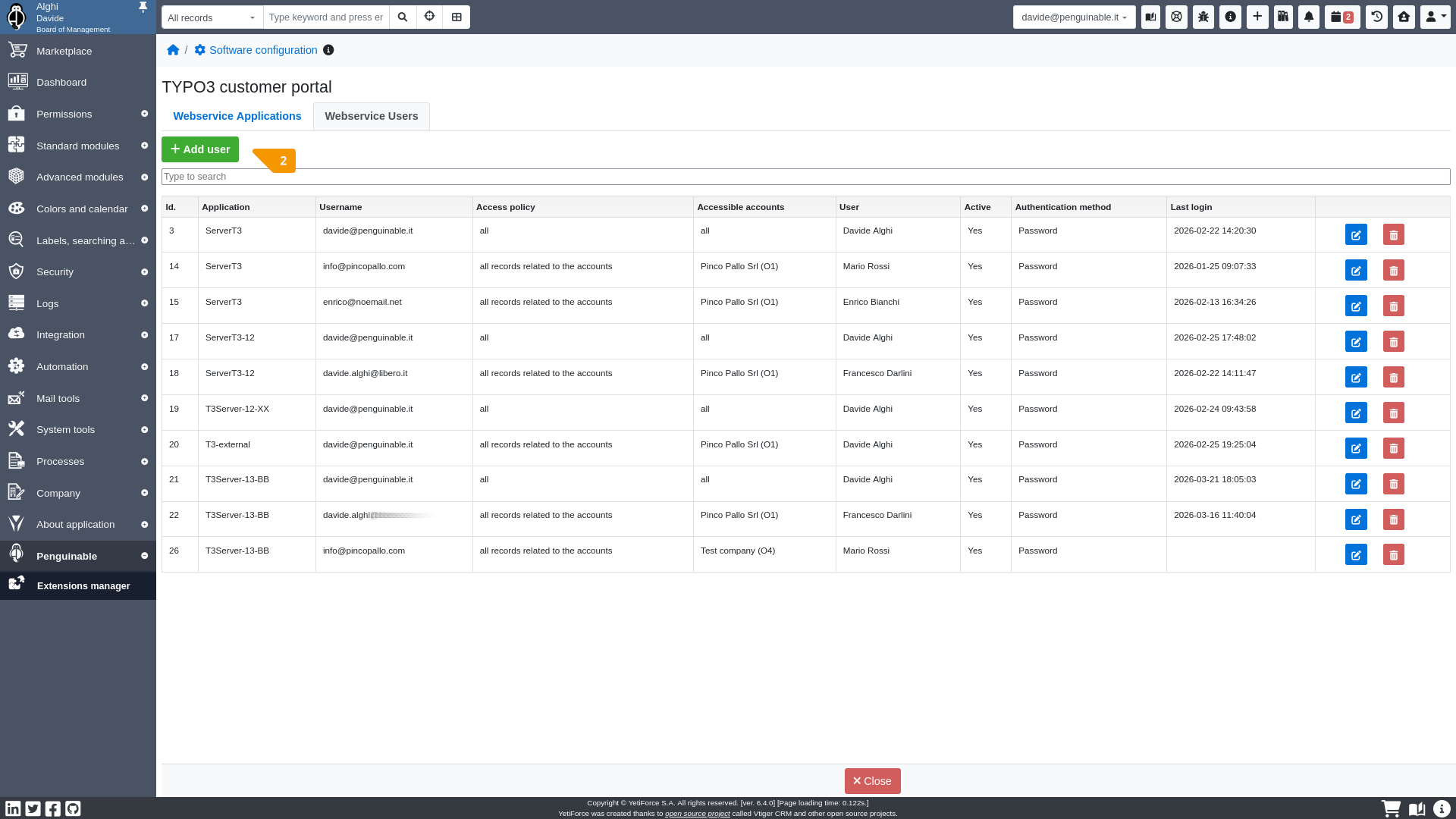
Add the webservice admin user
- ApplicationThe webservice application you have just created.
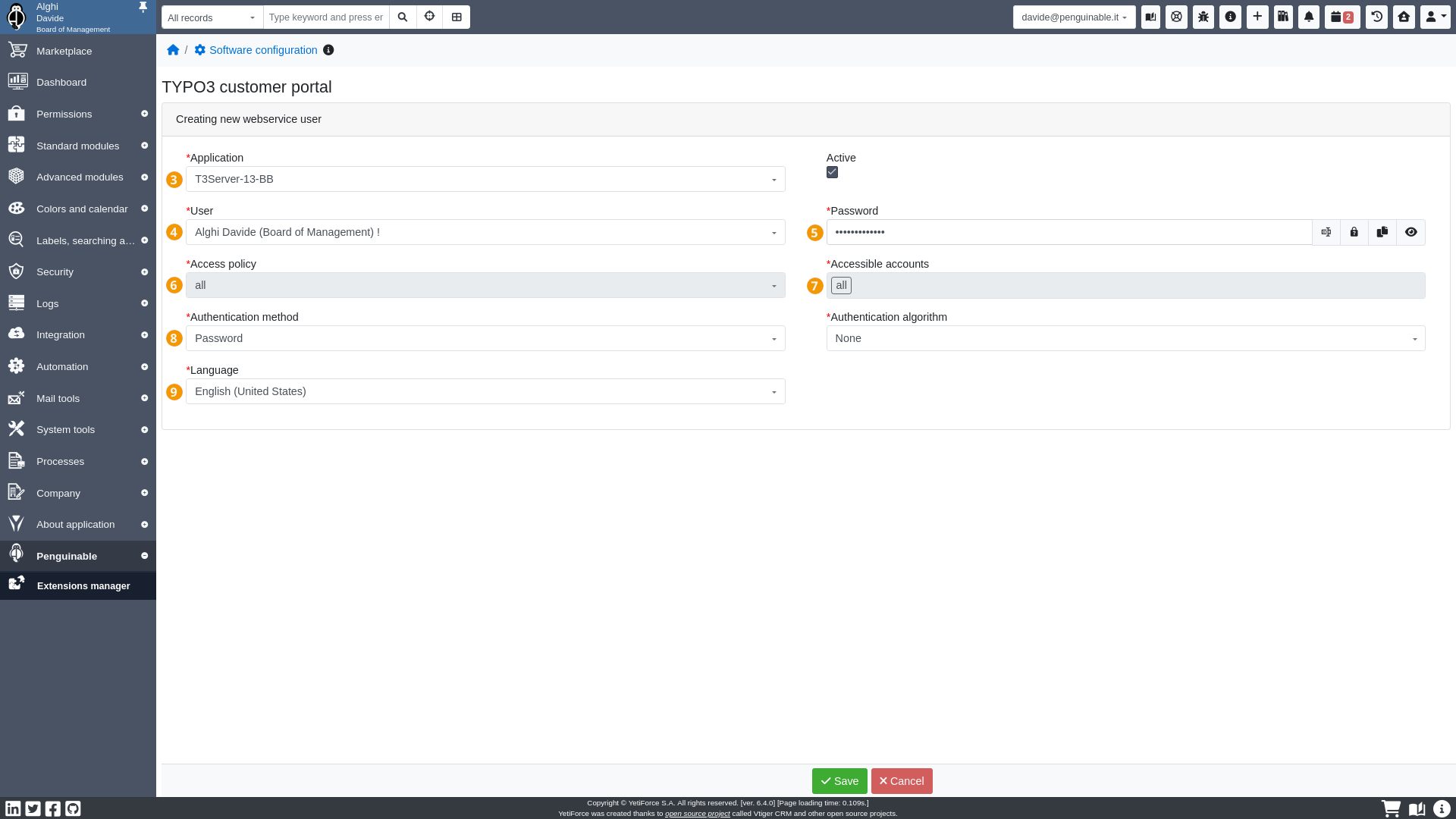
- UserThe YetiForce admin user you have just created.The login username, on YetiForce Customer Portal authentication, will be the primary email of the selected admin user.
- PasswordThe login password on YetiForce Customer Portal authentication.Remember this password because it will be necessary in the configuration of YetiForce Customer Portal
- Access PolicyIt defines which records will be accessible: all by default for admin user.
- Accessible accountsThe CRM Accounts, and all related records, the admin user will be able to access on YetiForce Customer Portal.
- Authentication methodCurrently only the password method is available.
- LanguageThe first login language on YetiForce Customer Portal for the admin user.
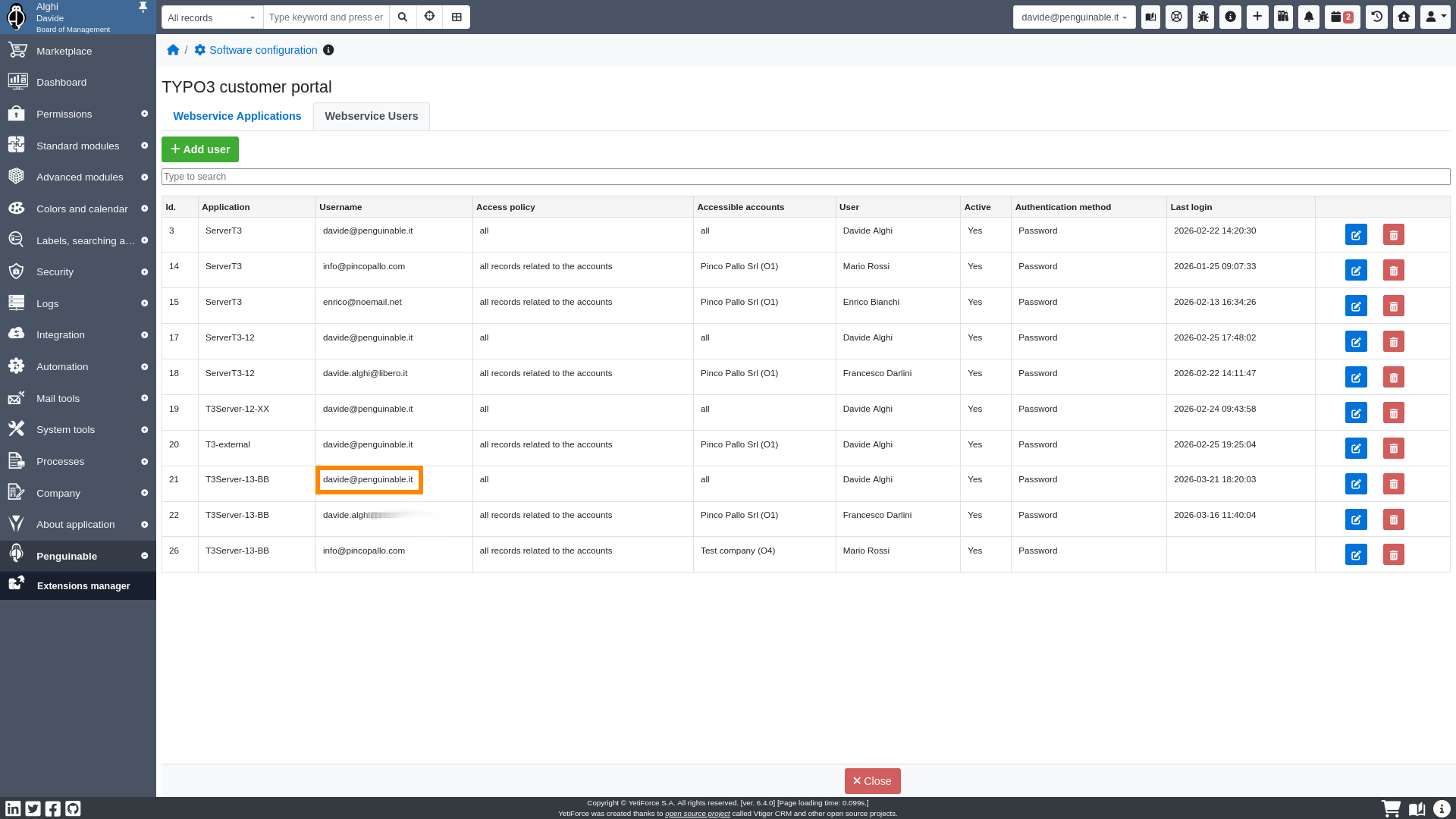
The email address is the username of webservice admin user.
Webservice simple user
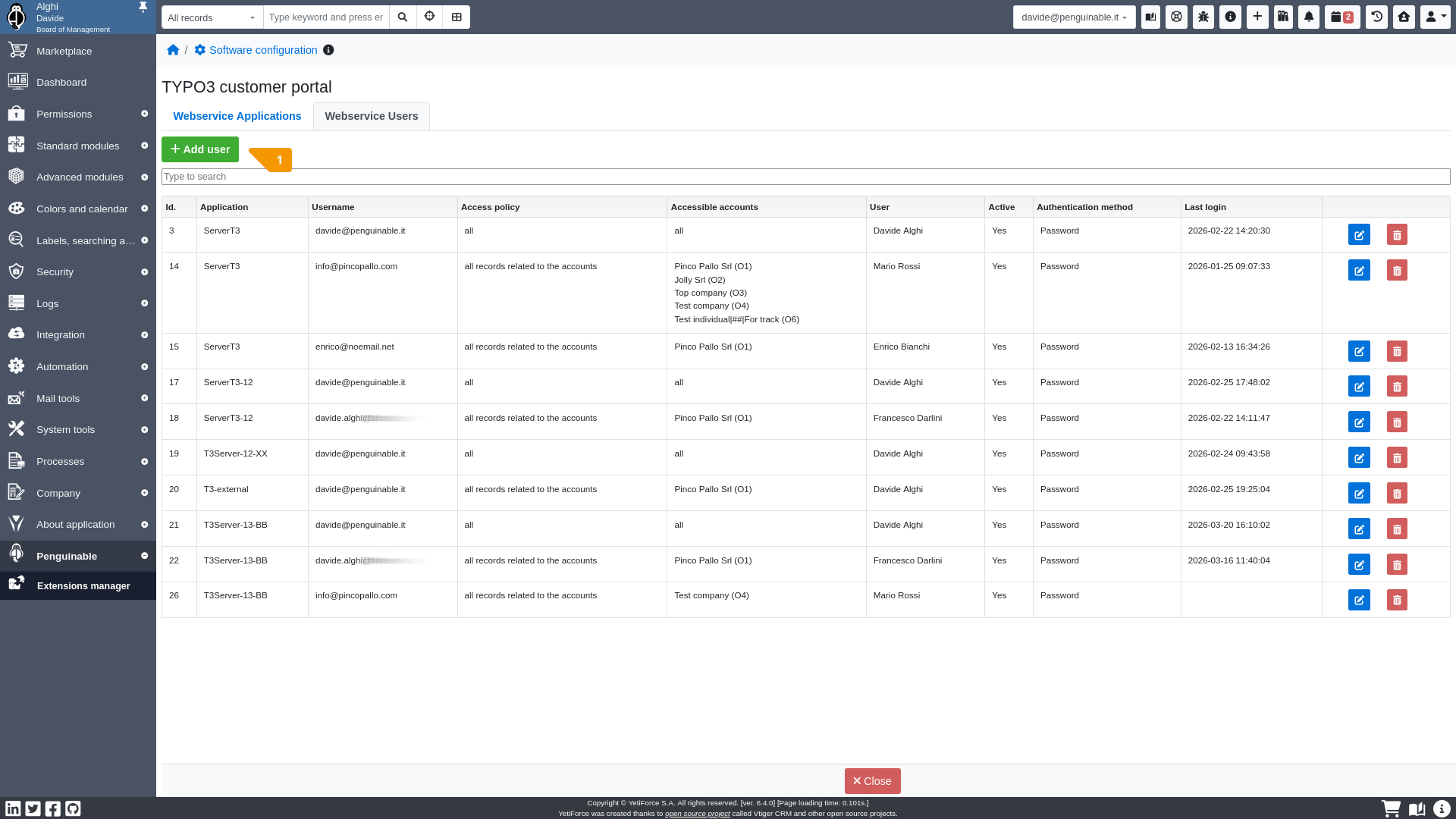
The steps, for simple user, are the same of admin user, but we are going to repeat all steps.
Add the webservice simple user
- ApplicationThe webservice application you have just created.
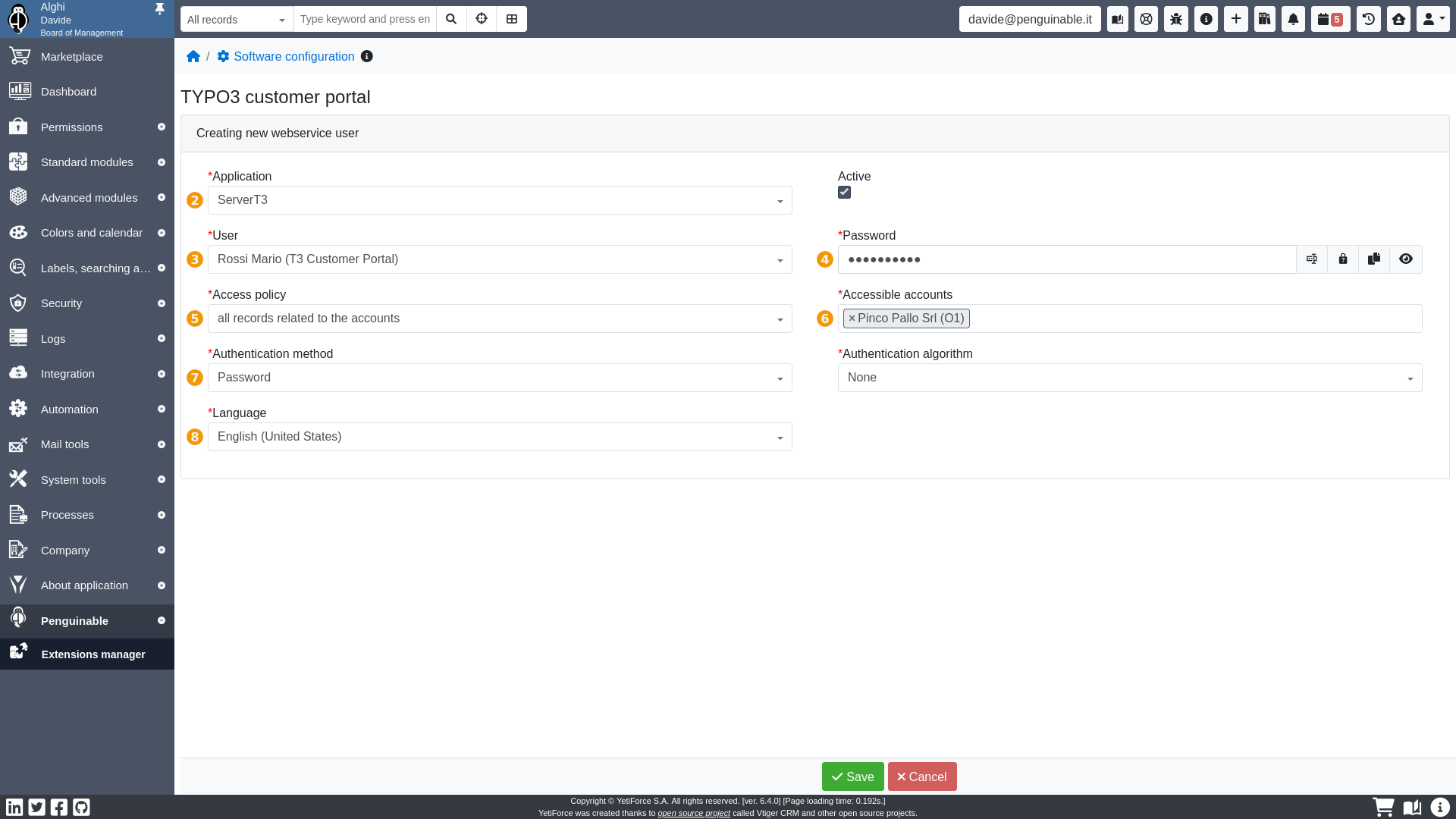
- UserThe YetiForce simple user you have just created.The login username, on YetiForce Customer Portal authentication, will be the primary email of the selected simple user.
- PasswordThe login password on YetiForce Customer Portal authentication.
- Access PolicyIt defines which records will be accessible by the simple user:
- all records related to the accountsthe user will be able to access all records related to the CRM Accounts associated with him
- only records, related to the accounts, assigned to or shared with the userthe user will only be able to access the records of the CRM Accounts, associated with him, but only if records are assigned to / shared with him
- Accessible accountsThe CRM Accounts, and all related records, the simple user will be able to access on YetiForce Customer Portal.
- Authentication methodCurrently only the password method is available.
- LanguageThe first login language on YetiForce Customer Portal for the simple user.
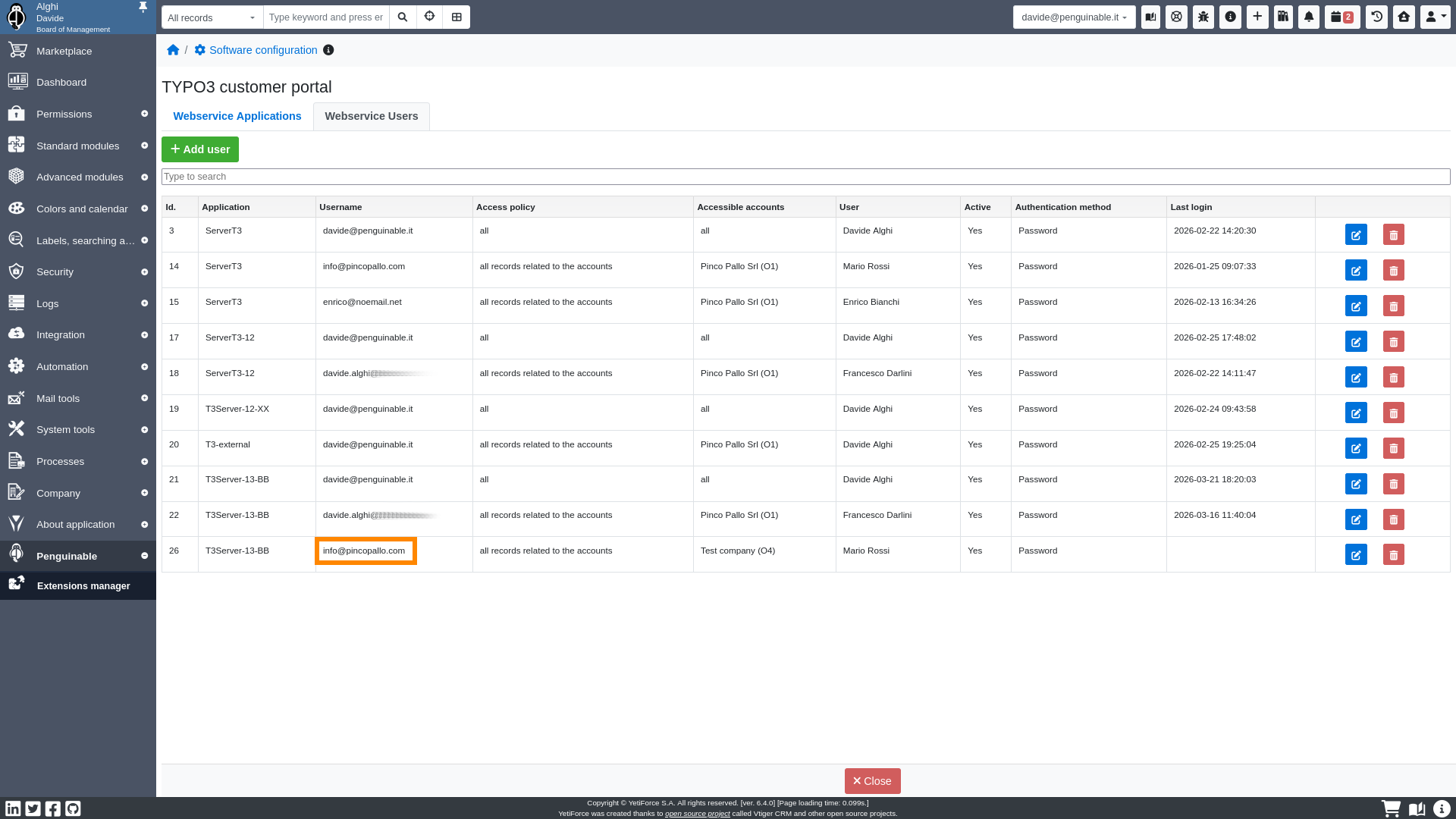
The email address is the username of webservice simple user.