Webservice application
The webservice application record defines the endpoint to which the YetiForce Customer Portal will connect
Access to extension config editor
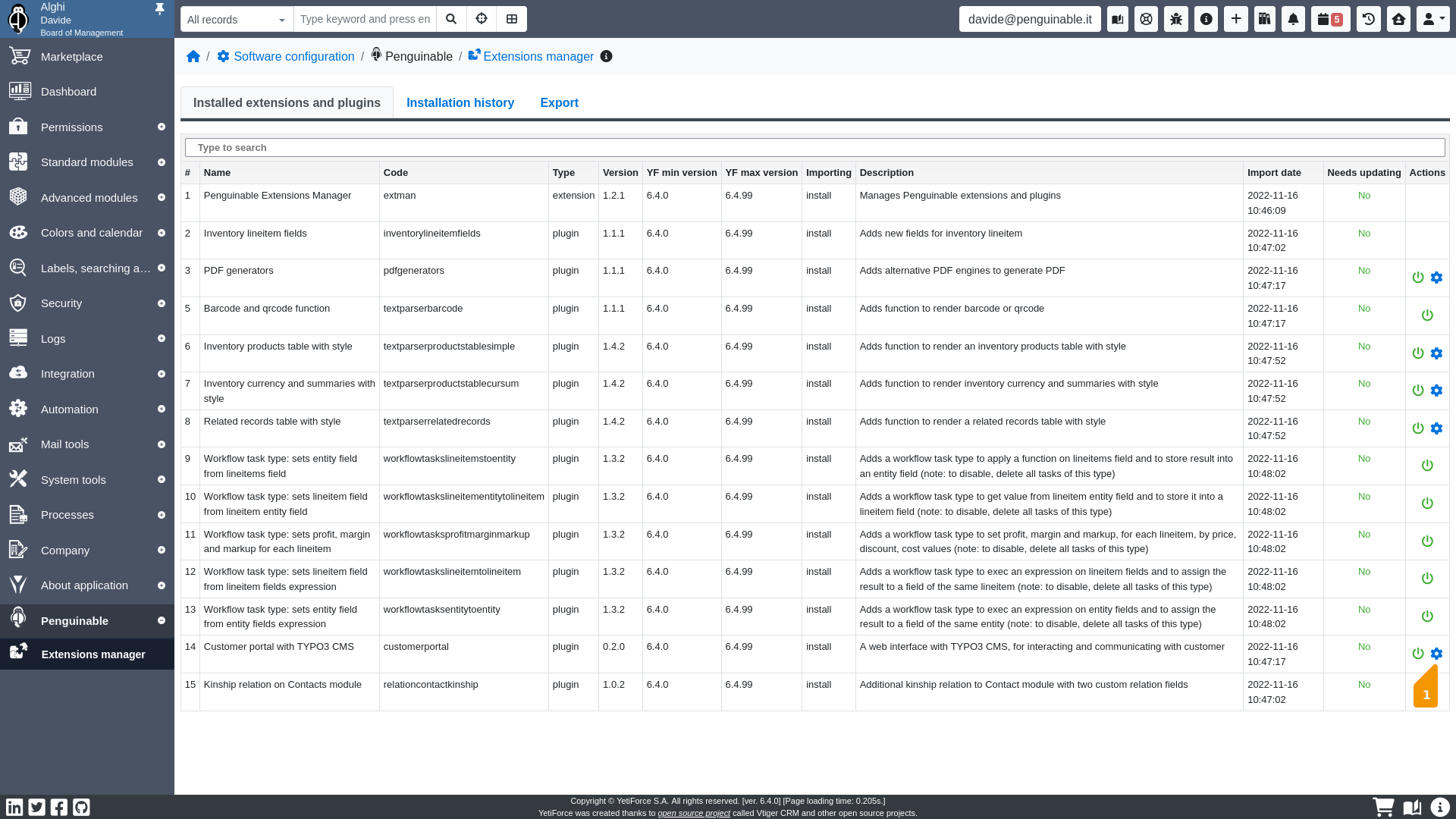
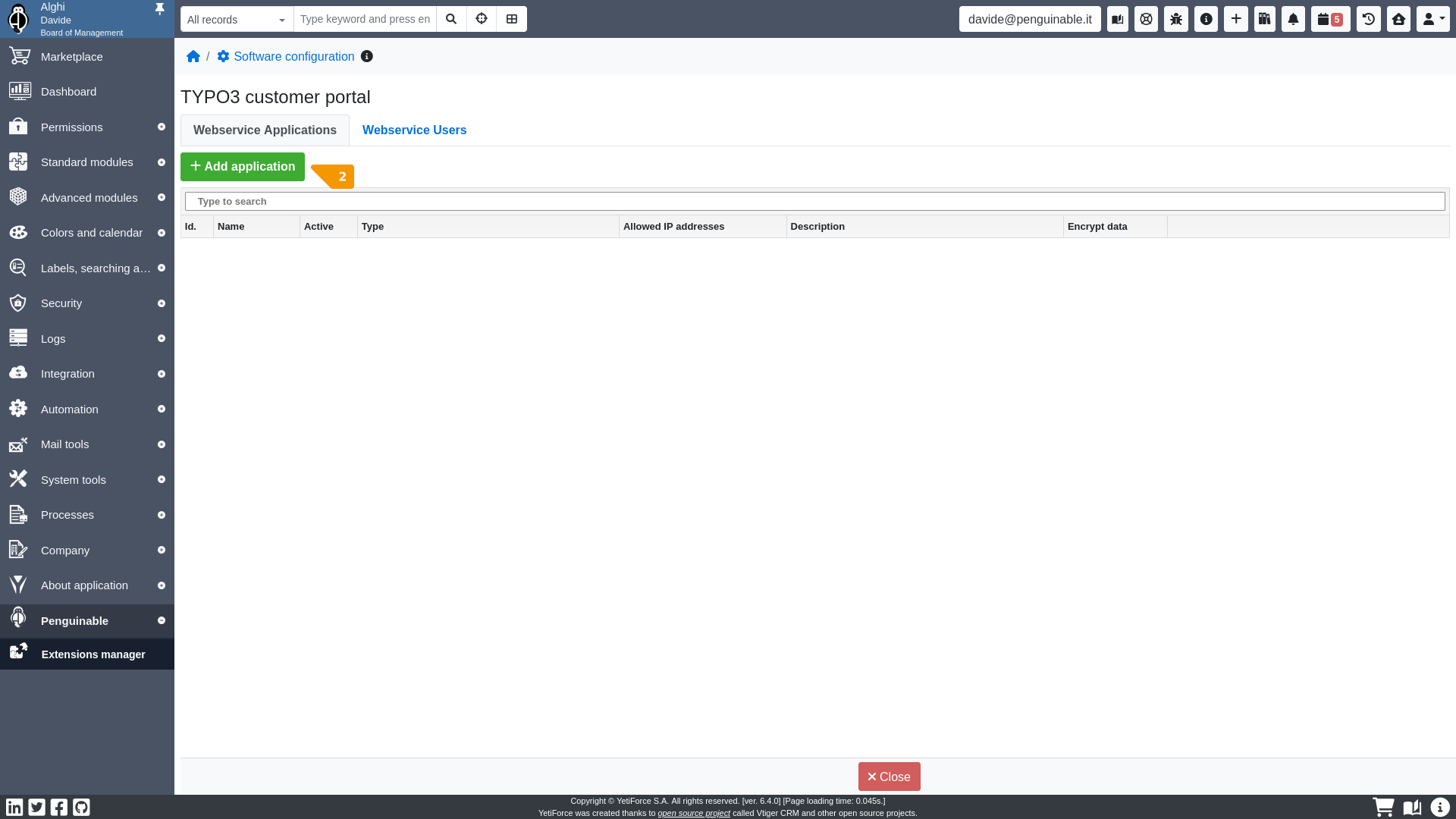
Add a new webservice application
- Nameit will be the server username on webservice authentication
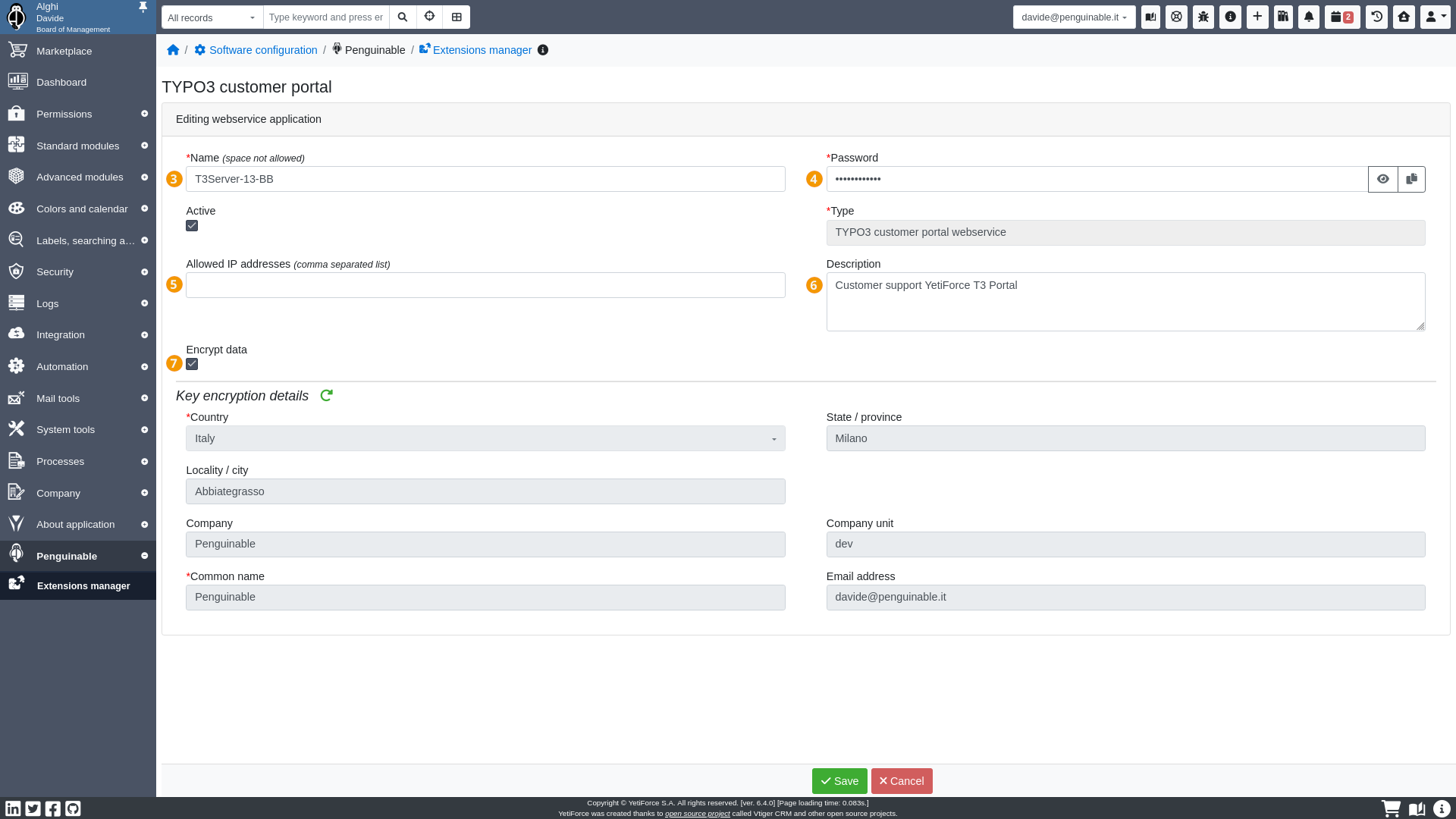
- Passwordit will be the server password on webservice authentication
- Allowed IP addressesthe comma separated list of clients allowed to connect to API endpoint (i.e. YetiForce CRM)
- Descriptionjust a description of the application
- Encrypt datait is always recommended to activate encrypted data communication: insert your company data
- After saving the record, they will be available …downloading of the encryption certificate
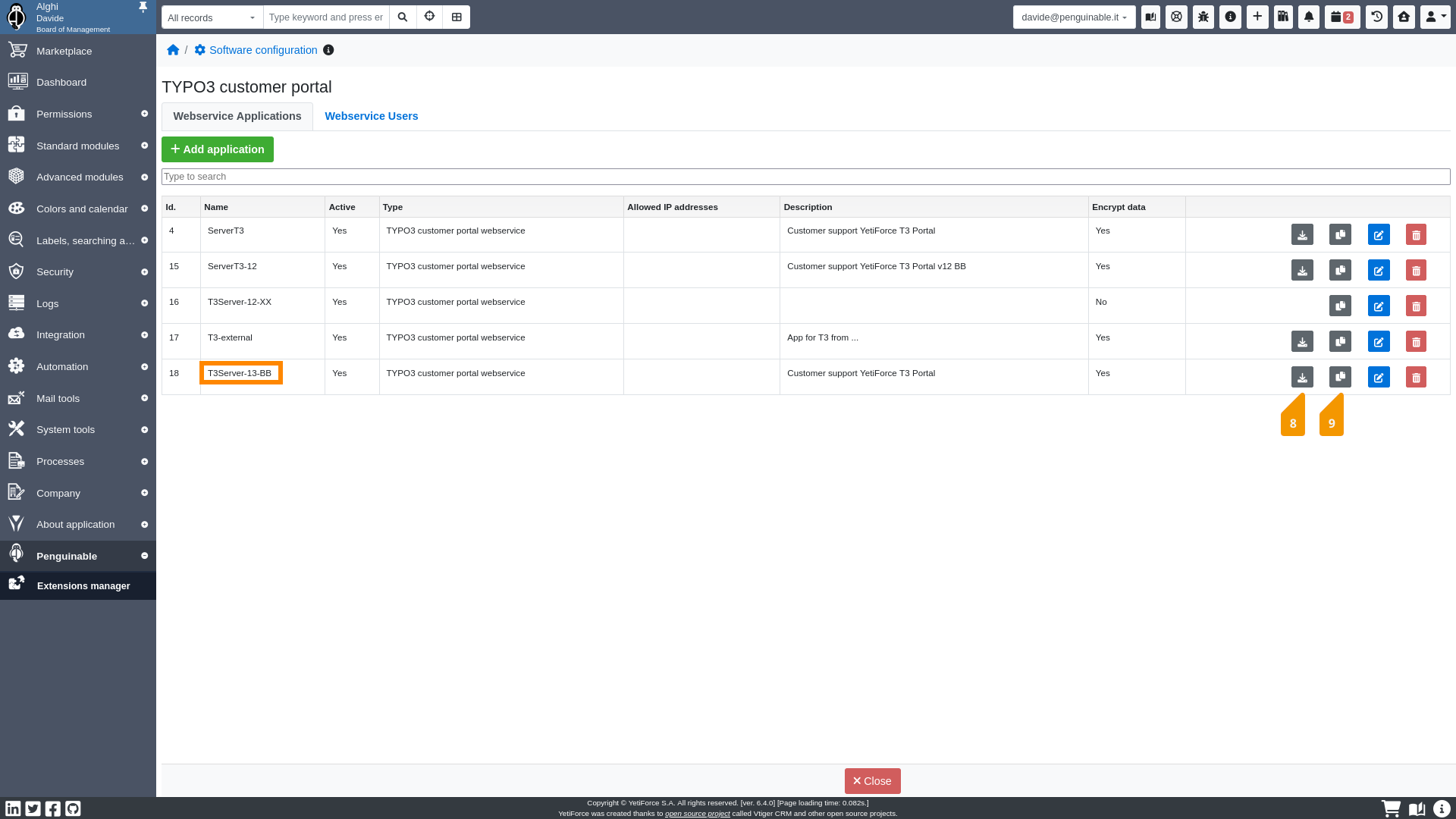
- and copy in clipboard…the API keyboth to set in the YetiForce Customer Portal Configuration TYPO3 record
Note
If encrypted communication is active, it must also be activated on the TYPO3 side